4K Quality AI - Free 4K Image Upscaler & Photo Enhancer
Convert any image into 4K quality online free. AI 4K photo enhancer reconstructs details, sharpens blurry pictures to 4K resolution with no watermark.
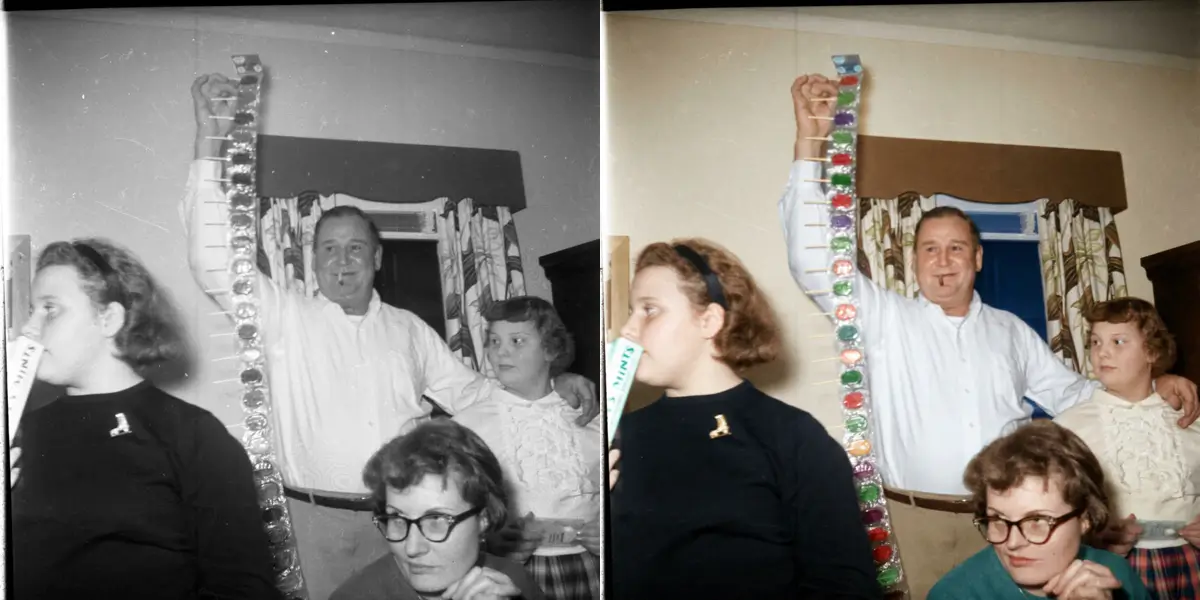
See It in Action
Drag the slider to compare before and after
Low-res → 4K sharpness
Detail is reconstructed, not stretched. Results stay natural.

How It Works
Upload the small image
Any JPG, PNG or WebP. If the source is blurry as well as small, unblur it first — see the unblur tool.
Upscale to 4K
The model predicts and generates detail at the target resolution rather than averaging existing pixels.
Download the 4K file
Compare edges and fine texture against the original. No watermark, commercial use allowed.
Why use SeedPix for this?
Interpolation makes an image bigger, not better — it averages neighbouring pixels, so edges get softer as the file grows. SeedPix predicts the detail that should exist at the higher resolution: hair, fabric weave, foliage, brickwork and type edges are generated rather than smoothed. That is why the result survives being viewed at 100% instead of looking like a blurred enlargement.
When to use 4K Quality AI
The situations this tool is actually built for.
Prepare a small image for print
A photo that looks fine on screen can fall apart at A4. Upscaling to 4K gives you enough pixels for a decent print.
Recover old low-resolution photos
Scans and early digital photos are often only a few hundred pixels wide. Upscaling makes them usable on modern displays.
Enlarge product and listing images
Marketplaces reward larger, sharper images. Upscaling small product shots avoids the soft, stretched look of interpolation.
Frequently Asked Questions
How do I upscale an image to 4K quality online for free?+
Upload your image and click one button. The AI upscales it to 4K resolution (3840x2160 or 4x scale) while enhancing real details and sharpness.
Does this convert blurry photos to real 4K quality?+
Yes. Unlike traditional bicubic interpolation that blurs edges, our neural model reconstructs missing pixel details, textures, and edges so the output looks genuinely high-resolution.
Will upscaling add watermarks or cost money?+
No watermarks are added to your downloads. New users get 10 free credits plus 1 daily credit to upscale images completely free with no signup required.
Can I upscale photos for large-format printing?+
Yes. Our 4K upscaler is designed specifically for large-format printing, wallpapers, e-commerce product photos, and digital displays.
What formats and file sizes are supported?+
JPG, PNG, and WebP files up to 20MB are supported.
Is upscaling the same as resizing?+
No. Resizing interpolates — it invents nothing and softens edges. Upscaling predicts the detail that should be present at the larger size, so texture and edges stay defined instead of turning to mush.
How small can the source image be?+
Small images recover well up to a point. A few hundred pixels wide is usually fine for a 4K output; thumbnails under roughly 100 pixels rarely carry enough information for a convincing result.
Will upscaling make noise or compression artifacts worse?+
It can, because the model amplifies what it sees. On a heavily compressed JPEG the artifacts may become more visible — cleaning those up first, or choosing a lower magnification, usually gives a better result.
Ready to upscale any image to true 4k quality?
Upload your photo above and get results in one click. No prompt writing, no original file needed.