Remove Person from Photo Free - AI Object Removal
Remove people from photos online for free with AI. Erase tourists, photobombers, or ex-partners from any photo in seconds. No Photoshop needed.
See It in Action
Drag the slider to compare before and after
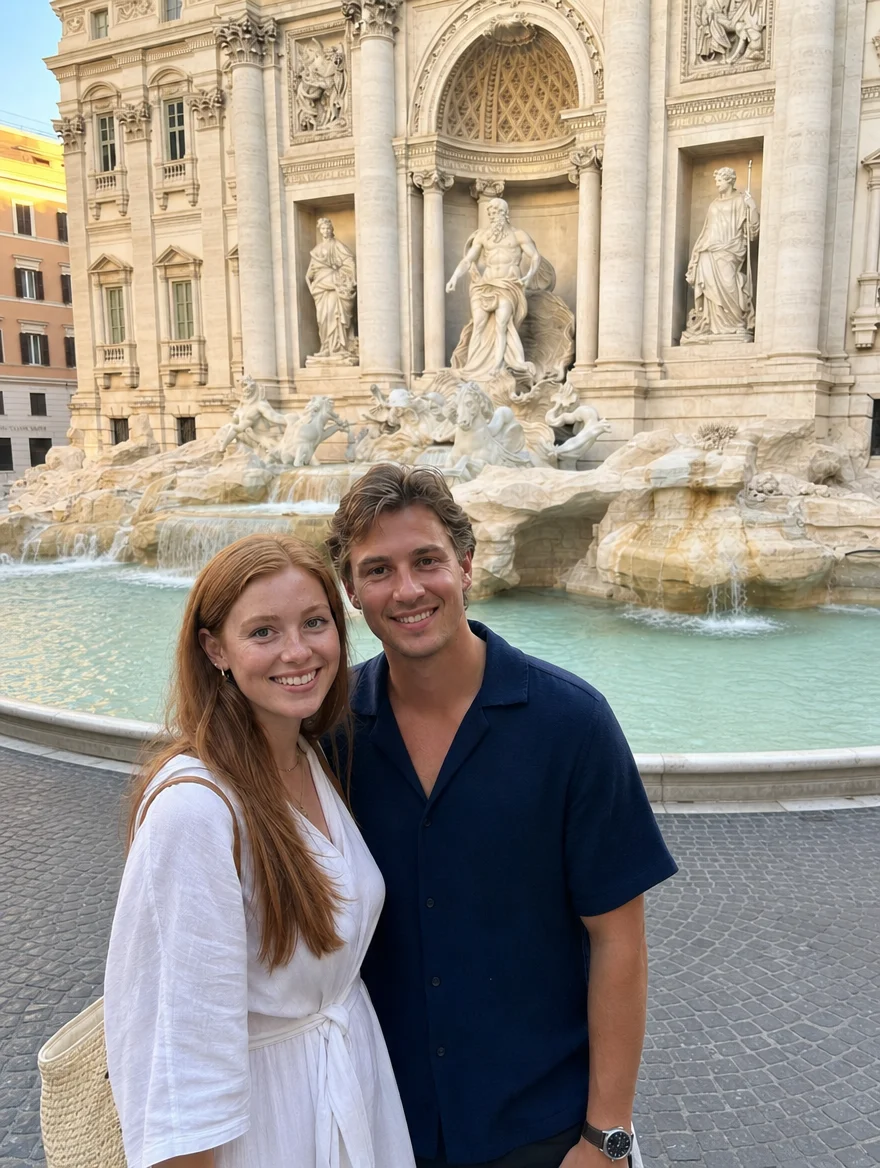
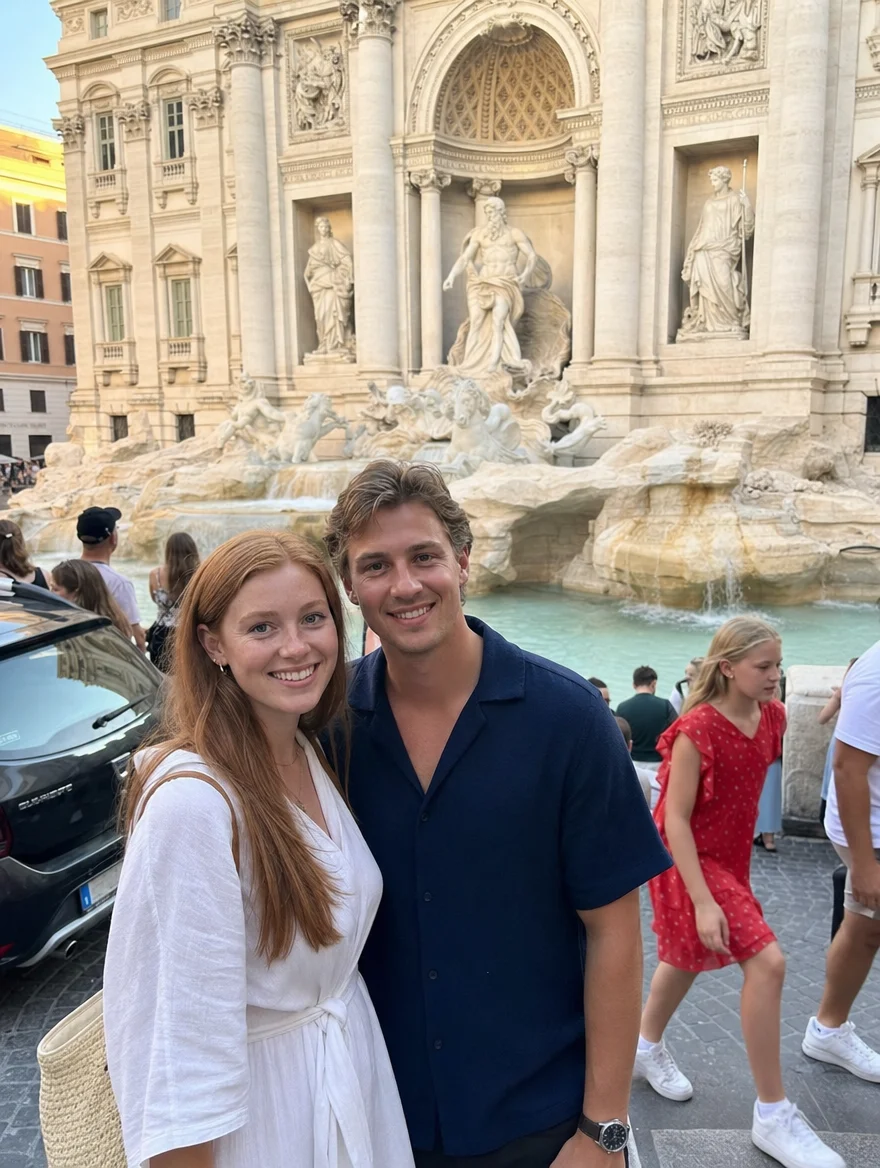
Remove people from travel photos
Erase tourists and photobombers while keeping the scene intact.
How It Works
Upload the photo
Any JPG, PNG or WebP. The larger the file, the more detail the model has to reconstruct the background with.
Say who to remove
Describe the person — for example, "remove the man in the blue shirt on the left". Everyone else is preserved.
Download the cleaned photo
Check the gap where the person was, then download. No watermark, commercial use allowed.
Why use SeedPix for this?
Removing a person is not the same as removing an object: you are deleting a human-shaped hole that often covers a large part of the frame, and the background behind them has to be invented convincingly. SeedPix reconstructs the scene behind the person — floors, walls, foliage, crowd texture — while leaving everyone else in the photo untouched, including anyone standing right next to them.
When to use Remove Person from Photo Free
The situations this tool is actually built for.
Delete a photobomber
Someone walked into your shot. Remove just that person and keep the rest of the frame exactly as it was.
Clean up travel photos
Busy landmarks are rarely empty. Remove the tourists in front of the subject and rebuild the architecture or landscape behind them.
Take one person out of a group photo
Remove an ex-partner or a colleague who has left, while keeping the other people, their shadows and the spacing between them intact.
Frequently Asked Questions
How do I remove a person from a photo online for free?+
Upload your photo and tell the AI who to remove (or let it detect people). The AI erases the person and fills in the background naturally in seconds.
Can I remove people from photos without Photoshop?+
Yes. Our AI inpainting engine does the work automatically - no layers, masks, or selection tools needed.
Can I remove tourists or photobombers from travel photos?+
Yes, this is the most common use case. Remove crowds, tourists, and accidental photobombers from your vacation photos.
Does it work on group photos?+
Yes. You can remove one or multiple people from group photos. The AI preserves the remaining people and fills in gaps naturally.
Can I remove multiple people from a photo at once?+
Yes. Describe who to remove (e.g. 'remove everyone except the bride') or let the AI detect people, and it will erase all of them while keeping the scene intact.
Is it really free?+
You get 10 free credits on signup plus 1 daily credit. Removal costs 10 credits per photo. Packs start at $9.99 for 350 credits.
What formats are supported?+
JPG, PNG, and WebP files up to 20MB.
Will it remove the wrong person?+
Be specific about position and clothing — "the person in the red jacket on the right" works far better than "remove someone". You can also run it again if the first pass picks the wrong subject.
What happens to the shadows and reflections the person cast?+
The model rebuilds the area rather than copying a patch, so shadows on the ground and reflections in glass are regenerated to match the new scene. Strong, hard-edged shadows are the hardest case and may need a second pass.
Can it remove several people at once?+
Yes, if you describe them clearly — for example, "remove the two people on the far left". Removing many overlapping figures in one pass reduces how much original background the model has to work from.
Ready to erase people from photos in one click?
Upload your photo above and get results in one click. No prompt writing, no original file needed.