AI Image Humanizer - Make AI Photos Realistic Free Online
Free AI image humanizer online. Turn AI-generated images into realistic photos, remove plastic skin, fix unnatural textures and lighting with zero sign-up.
See It in Action
Drag the slider to compare before and after
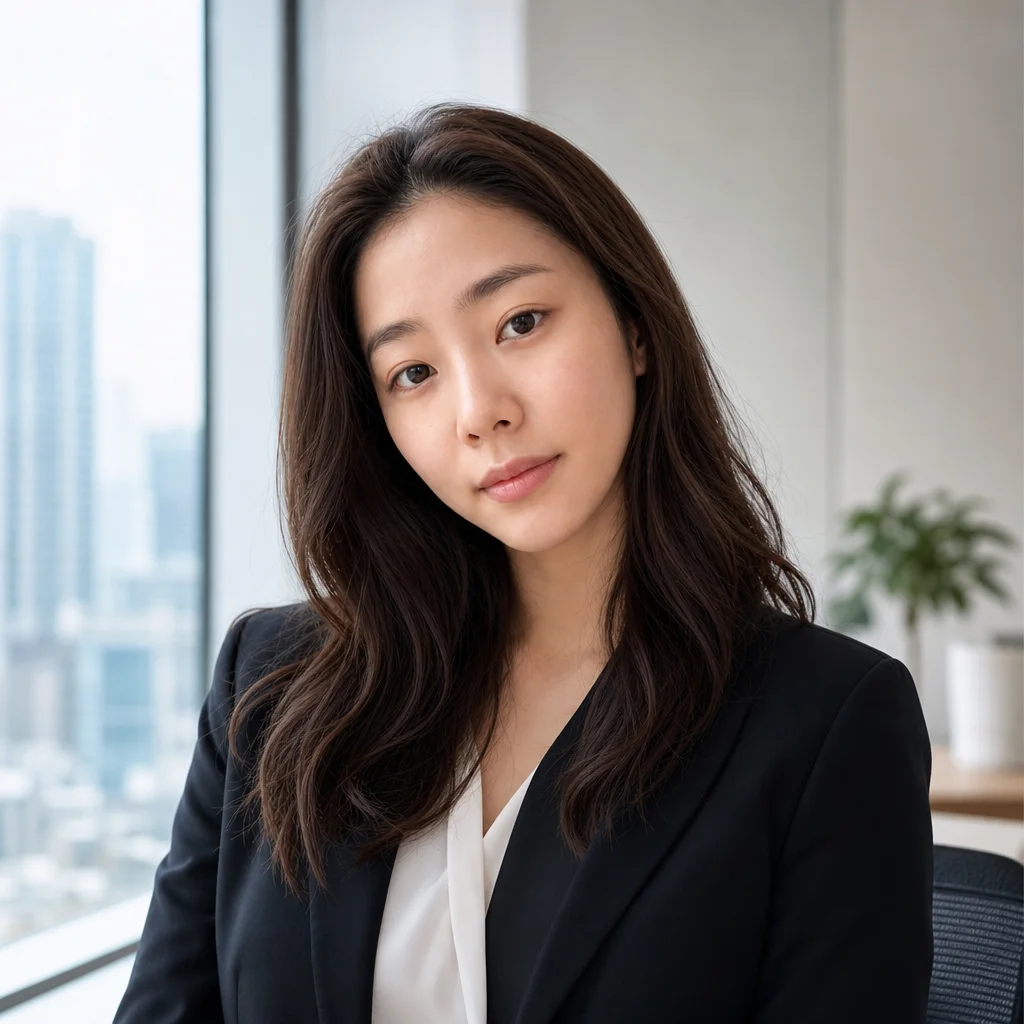
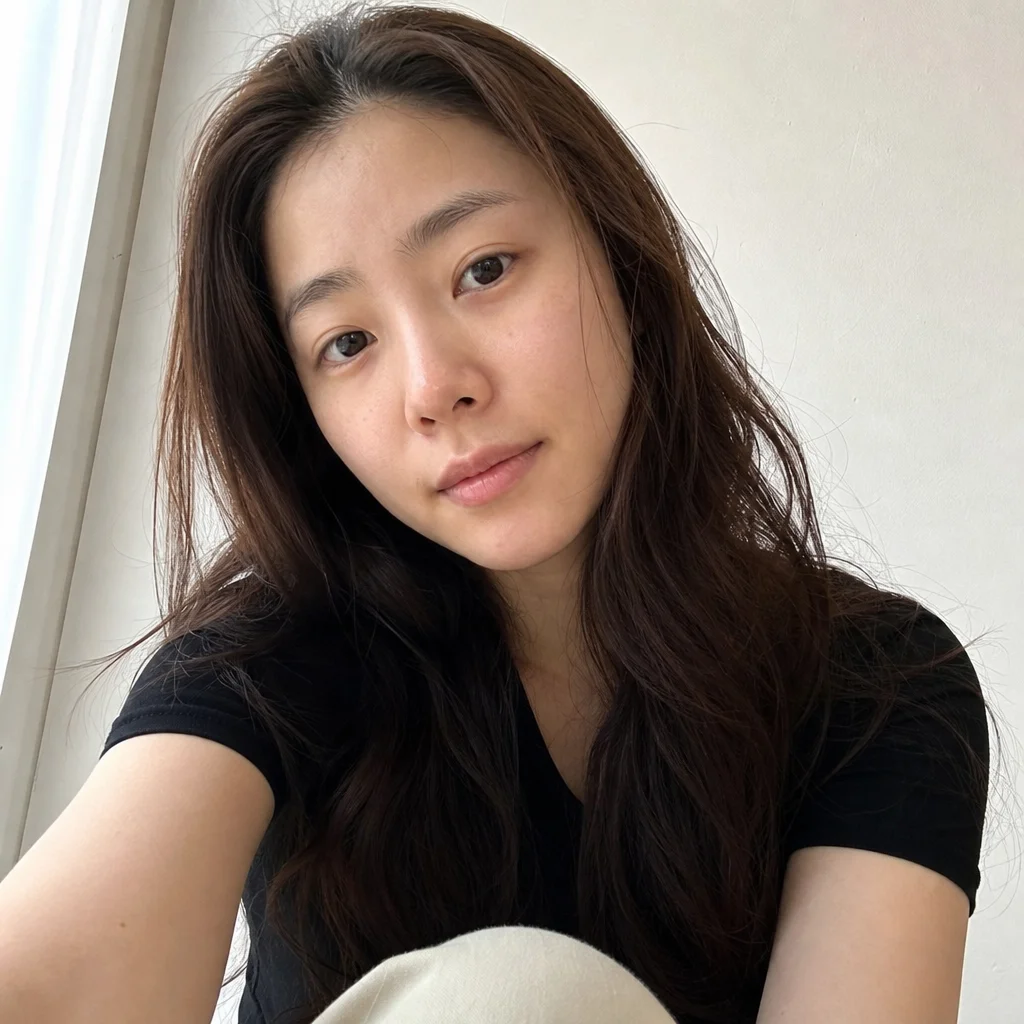
Plastic AI face → realistic photo
Reconstructs natural skin pores, realistic light bounce, and believable depth.
How It Works
Upload your AI image
Drop any JPG, PNG, or WebP generated by Midjourney, Flux, Stable Diffusion, or ChatGPT.
Click Humanize
The neural engine detects synthetic artifacts and regenerates authentic photographic details.
Download watermark-free
Save the photorealistic image at full resolution ready for commercial or personal use.
Why use SeedPix for this?
Synthetic images from Midjourney, Stable Diffusion, or Flux often scream 'AI' due to excessive plastic sheen, porcelain-smooth skin without pores, and hyper-uniform lighting. SeedPix AI Image Humanizer specifically deconstructs these synthetic artifacts: it rebuilds micro-textures, subtle dermal variations, realistic film noise, and authentic camera light falloff so the output reads as genuine photography.
When to use AI Image Humanizer
The situations this tool is actually built for.
Make AI portraits believable for profiles and resumes
Replace waxy, oversmoothed faces with lifelike skin texture and realistic depth that looks like studio photography.
Humanize AI product photos for e-commerce
Synthetic product visuals frequently look unrealistically sterile. Adding photographic micro-shadows and natural reflections builds customer trust.
Prepare AI visuals for print and high-res media
Banding and plastic-smooth gradients fail in print. Humanizing the image injects organic grain and optical texture.
Frequently Asked Questions
What is an AI image humanizer?+
An AI image humanizer takes synthetic AI-generated images (from Midjourney, Flux, Stable Diffusion, or ChatGPT) and removes the telltale signs of AI generation—such as waxy skin, plastic sheen, and surreal lighting—replacing them with natural photographic textures.
How do I humanize an AI image for free?+
Upload your AI image to SeedPix and click one button. The AI humanizer analyzes the image, reconstructs natural skin pores, realistic hair strands, and camera lighting, and delivers a realistic photo in seconds with zero sign-up.
Can this make AI portraits look photographed?+
Yes. AI portraits are the #1 use case. It specifically fixes the over-smoothed porcelain skin, plastic eyes, and flat lighting so headshots look like real studio or smartphone photography.
Does it keep the person's original identity and clothing?+
Yes. The underlying subject, facial features, pose, clothing, and background are strictly preserved. Only artificial textures and lighting are refined.
Can AI image humanizer bypass AI content detectors?+
Our tool focuses on visual realism for human viewers by eliminating synthetic visual artifacts. While it often alters statistical pixel patterns, we encourage transparent and ethical use of generated imagery.
Does humanizing an image alter the person's face?+
No. Identity, facial structure, eye shape, and expressions remain identical. The tool only refines skin surface textures, micro-lighting, and photographic noise.
Ready to humanize ai images and make photos realistic?
Upload your photo above and get results in one click. No prompt writing, no original file needed.