Remove AI Look from Photos - Make Images Look Less AI Free
Make images not look like AI free online. Remove plastic skin, waxy textures, and AI artifacts to make photos look natural and photographed with no watermark.
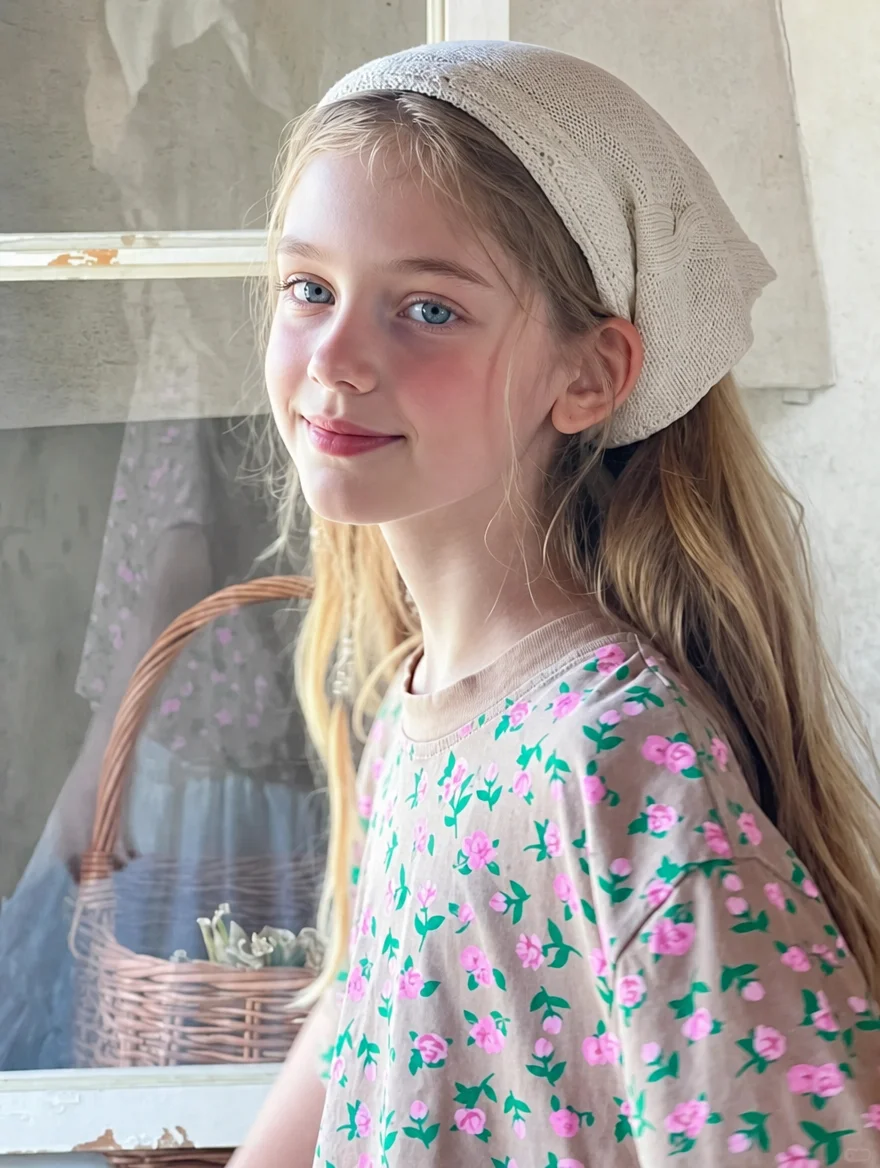
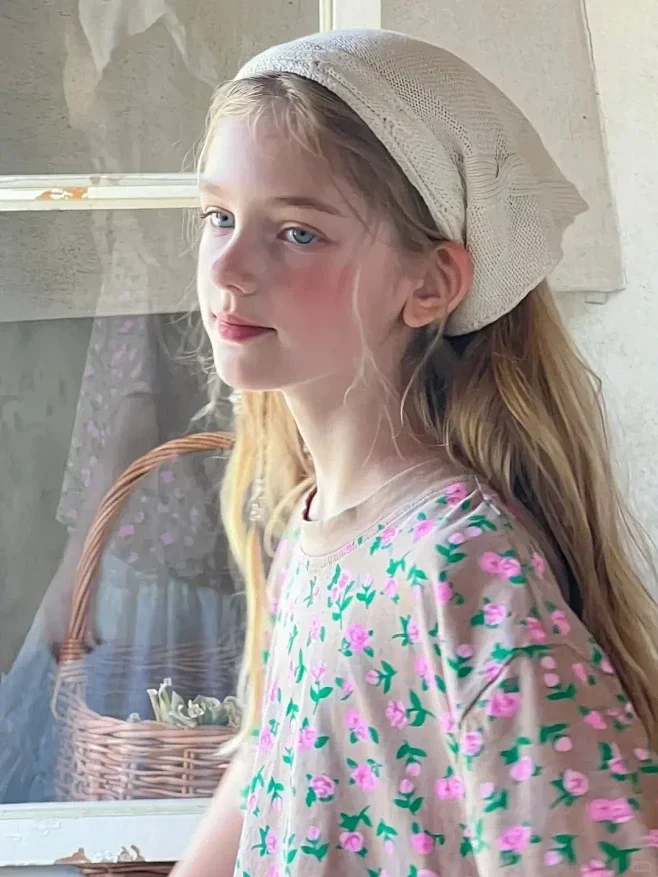
See It in Action
Drag the slider to compare before and after
AI look → natural photo
Restores photographic realism and subtle camera texture without changing the subject.
How It Works
Upload the AI photo
Upload any image that has the noticeable plastic or waxy AI look.
Apply Remove AI Look
The engine softens synthetic edges, fixes unnatural contrast, and injects realistic camera grain.
Export realistic result
Download the natural-looking photo without watermarks.
Why use SeedPix for this?
The 'AI look' comes down to a lack of camera physics: surfaces are too smooth, lighting lacks bounce variations, and edges look unnaturally sharp or smudged. The Remove AI Look engine reintroduces authentic camera optics, balanced contrast, and delicate surface grain so images feel captured rather than computed.
When to use Remove AI Look from Photos
The situations this tool is actually built for.
Fix plastic skin in AI headshots
Restore natural skin pores and realistic specular highlights so portraits look like real people.
De-AI marketing and social media graphics
Avoid audience fatigue from obvious AI stock images by making visuals look organically photographed.
Clean up AI landscape and architectural renderings
Add natural atmospheric haze and surface weathering to overly pristine synthetic renders.
Frequently Asked Questions
How do I make an image not look like AI?+
Upload your image to the SeedPix Remove AI Look tool. The engine automatically replaces plastic skin tones and artificial lighting with camera grain, natural skin micro-texture, and balanced contrast.
Why do AI images look fake or plastic?+
Diffusion models frequently over-smooth surfaces, resulting in 'porcelain skin', overly uniform highlights, and surreal edge sharpness. Removing the AI look restores natural photographic imperfections like pores, subtle film noise, and realistic light falloff.
Is there any watermark on downloaded photos?+
No. All processed images can be downloaded at full resolution completely watermark-free.
How is this different from applying a photo filter?+
A regular filter merely shifts global colors or adds an overlay. Remove AI Look reconstructs pixels contextually based on lighting physics and dermal anatomy.
Does it work on illustrations or only photos?+
It is designed primarily for photorealistic AI generations. On 2D illustrations or cartoons, it softens harsh synthetic artifacts but keeps the illustrative style.
Ready to make photos look less like ai and more realistic?
Upload your photo above and get results in one click. No prompt writing, no original file needed.